For Google Ads freelancers and small agencies
Client reporting for Google Ads, without the month-end scramble.
Set up each client's report once by describing it to Claude. Refresh it from live Google Ads data whenever you're ready, and send your client a link to the figures you've checked.
Free during early access. No card needed.
- Read-only access Roster never changes a bid, budget or campaign.
- Live Google Ads data Figures come straight from the client's account.
- Free during early access Every client and every report, no card needed.
How it works
The first report for a client takes a few minutes. After that, each month's report is ready without you rebuilding anything.
-
Step 1
Add a client
Create a workspace for the client and sign in with the Google account that manages their Google Ads. Pick the ad accounts that belong to them.
-
Step 2
Describe the report
Tell Claude what the client should see. Roster checks the account and shows you the real figures before anything is saved.
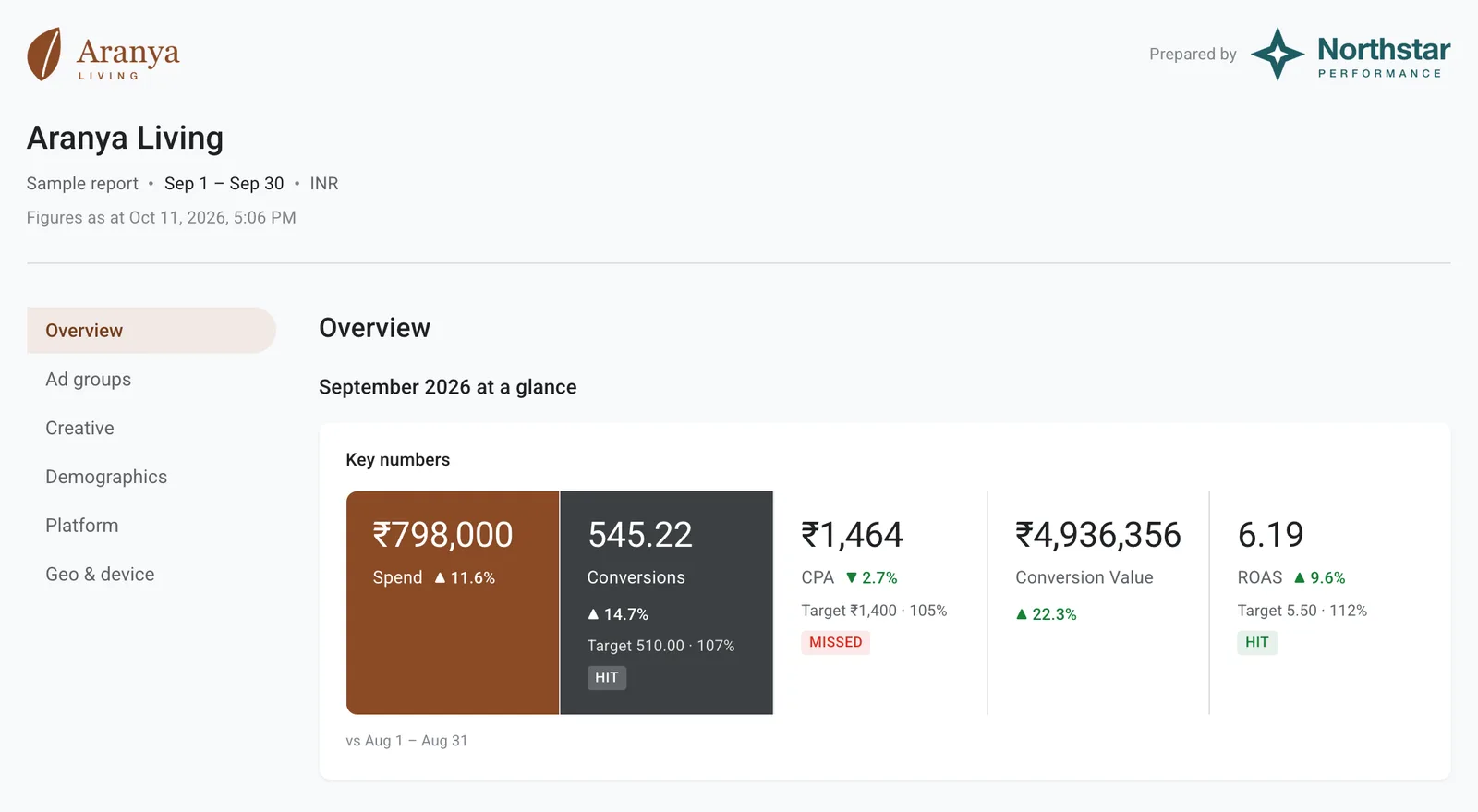
“A monthly report for Aranya Living: key numbers against last month, a daily trend, every campaign, and the split by device.”
-
Step 3
Send one link
Add your own summary, then share the link. Your client opens it in any browser. No login, no PDF.
What your client receives
A clean, consistent report every month, in the client's own currency and under your agency's name, with your notes beside the charts they explain.
Every campaign, side by side
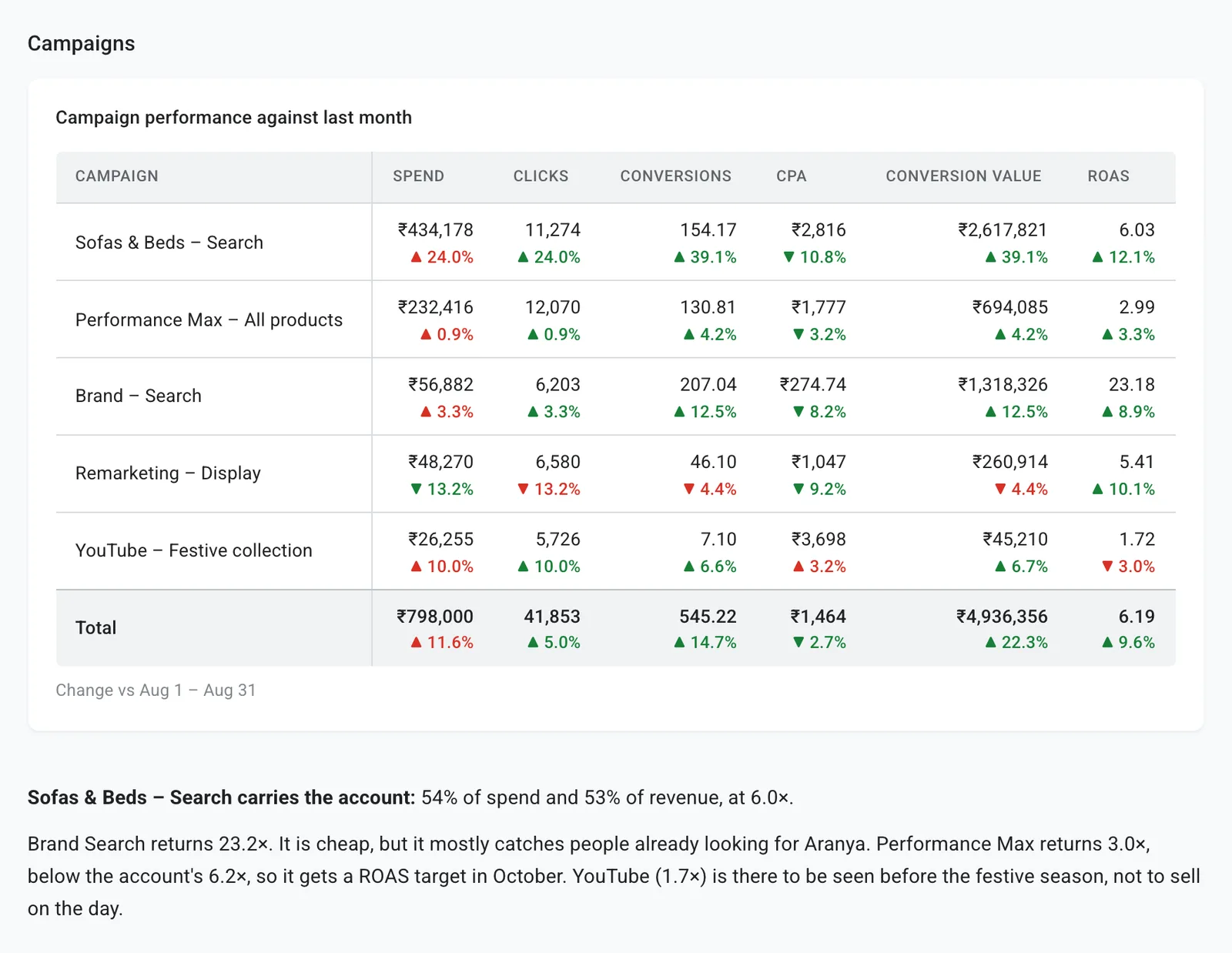
Spend, clicks, conversions, cost per conversion and ROAS for each campaign, sorted by what matters to the client. Names come straight from Google Ads, and a report that covers the whole account picks up new campaigns on its own.
The month, day by day
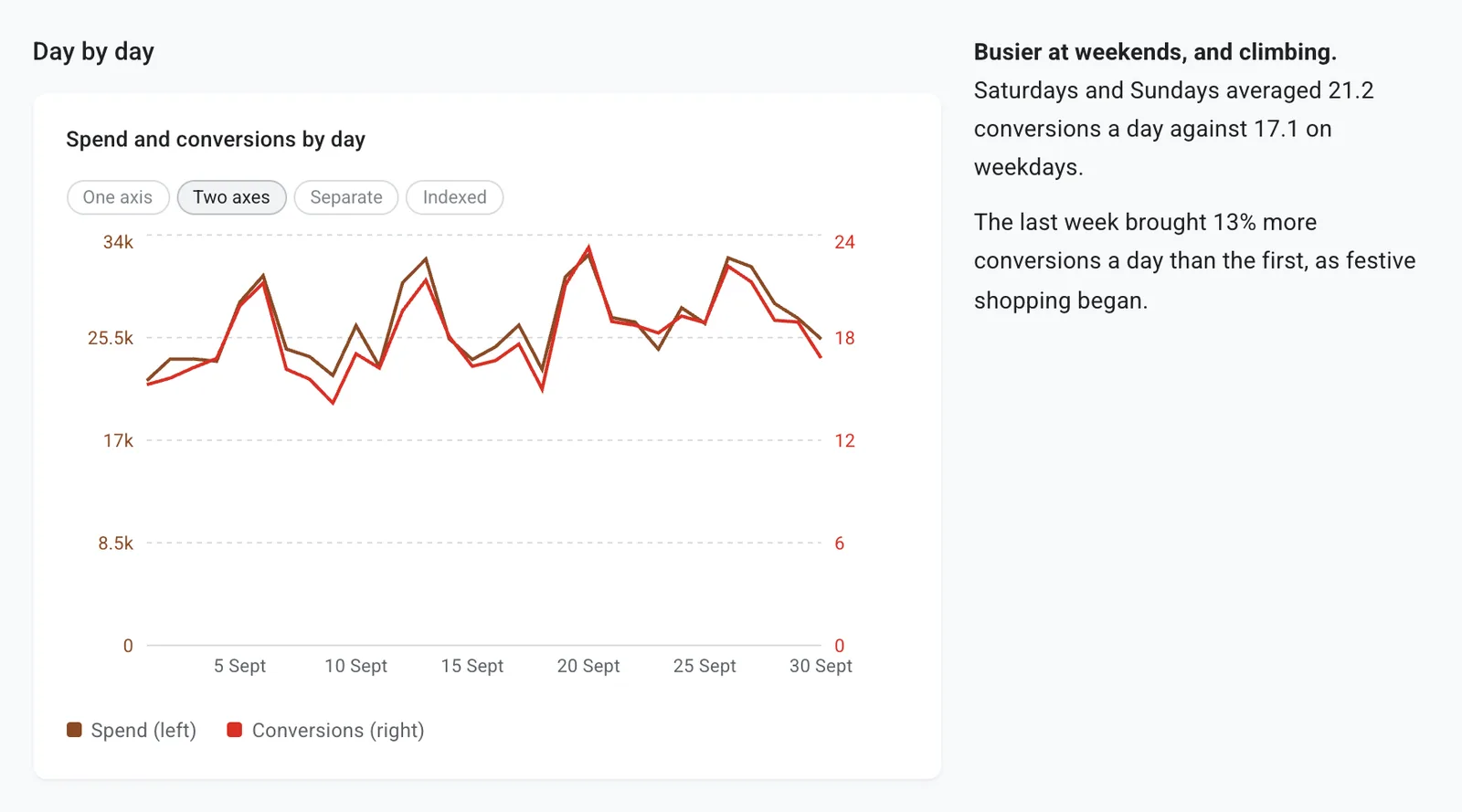
Trends the client can read at a glance, with the chart type chosen to fit the data: lines over time, bars for comparisons, a split for devices.
- Compared with last month Every headline number shows its change, so the client sees direction, not just totals.
- Your words, not ours Write the summary and recommendations yourself. Roster handles the numbers.
- Figures that match Google Ads Rates such as CTR and cost per conversion are worked out from totals, the way Google does, so they agree with the account.
- A fixed link for each send A shared link keeps the figures you sent, even after next month's refresh.
Questions
Does Roster change anything in my Google Ads accounts?
No. Roster only reads. It cannot change a bid, a budget, an ad or a campaign.
Which ad platforms does it cover?
Google Ads only, for now. We would rather do one platform properly than several partly.
What do I need to get started?
A Roster account, the Google login you already use for your clients' Google Ads, and the Claude desktop app with the Roster plugin. The setup guide walks through it in three steps.
Do my clients need an account?
No. They open the link you send in any browser, on any device.
Can one client see another client's data?
No. Each client has its own workspace, and a link shows only the report it was made for.
How much does it cost?
Nothing during early access. When pricing is introduced, early users will hear about it first, well before anything changes.
Make month-end reporting the easy part
Create an account, connect your first client and send them a report this month. Free while Roster is in early access.